
Product · enterprise
Digital forms platform
The form goes out with the customer's details already in it, comes back complete and signed, and the data flows on into your systems.
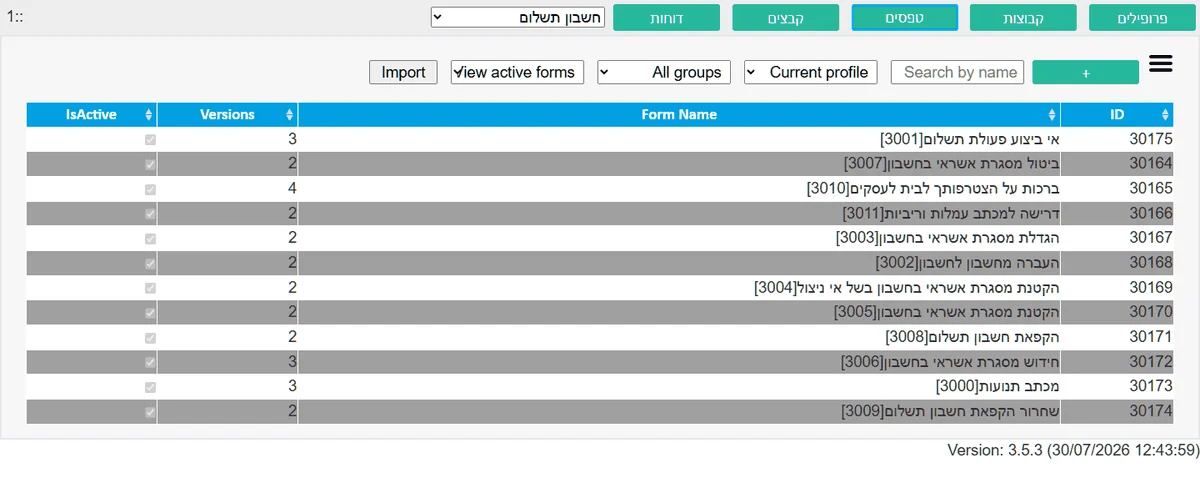
Send a binding document to a customer, get it back signed, and still know two years later exactly what was sent, when, and what was signed.
Isracard has been running its entire digital forms and signature operation on this platform for a number of years now.
Two ways to send a form
The difference between them is who fills in the details — the customer, or your system.
A personal form, pre-filled from the API
Your back-office system passes the customer's details, and the forms platform generates a personal link where the form is already filled in. The customer does not type an account number or spell out their name — they check, complete what is missing, and sign. Fewer fields to fill means fewer mistakes and less abandonment.
A public form, one link for everyone
A single link for general use — registration, enquiries, surveys. Every visit creates a new, independent instance, so two people filling it in at the same time never see or overwrite each other.
What the customer experiences
A binding form is usually a long form, and every unnecessary field in it is one more reason to abandon it halfway.
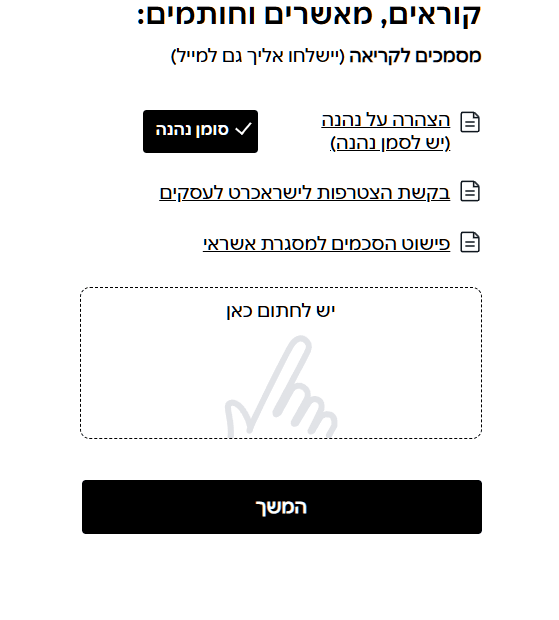
A handwritten signature inside the form
The customer signs with a finger on mobile or with the mouse on desktop, inside the form itself. This is the visual representation of their signature, and it is kept as part of the document — separate from the cryptographic signature the platform embeds in the file itself.
Navigation that fits the form's length
A long form is split into sub-forms that advance like a wizard, step by step, or are shown as sections that open and close. The choice follows the form, not the platform.
Attachments as part of filling in
The customer attaches a photo of a document or a PDF file within the flow. The platform works with your file-sanitisation systems, so a file from outside never enters the corporate network unchecked.
Your design, not the vendor's
Full control of the design, down to the HTML, and JavaScript support for complex logic — so the form looks like it belongs to your organisation and behaves by your rules.
The hybrid PDF engine
The document produced at the end is the formal record. So there are two ways to generate it, not one that fits half the cases.
Overlaid on an existing template
You have an approved PDF form whose layout must not be touched? The platform injects the data entered in the browser straight into it, and the document comes out exactly as the regulator expects it.
Generated from HTML, from scratch
No template, or a form too dynamic to fit one? The platform builds the whole document — Hebrew, bidirectional text and tables.
Built to the accessibility standard
Every document is built with the logical structure beneath it: tags, reading order, alternative text and tables with headers — as the PDF/UA-1 standard requires. In veraPDF testing the documents pass all 106 automated checks, with zero failures.
An embedded digital signature
On top of the customer's drawn signature, the platform embeds a cryptographic signature in the file per PAdES — so it can be verified whether the document was changed after signing. The proof lives in the file itself, not in a database record that can be lost. The customer can download a blank copy to review before signing, and a complete signed copy after.
Control, audit and regulation
In a regulated environment, "the system worked" is not an answer. You have to show exactly what happened.
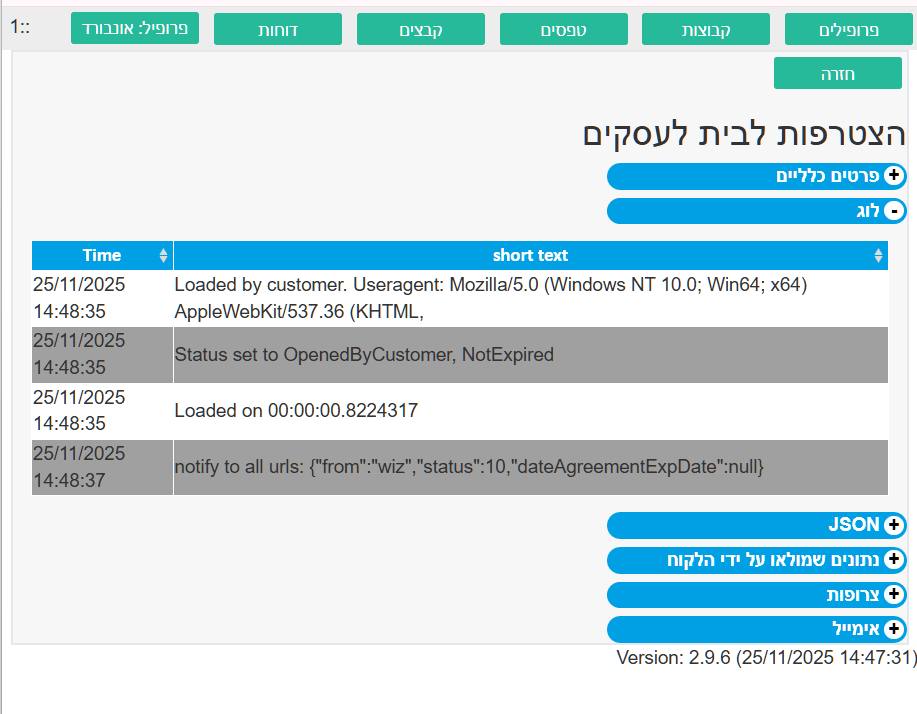
A full audit trail for every instance
Every action is recorded: when the form was opened, how long it took to load, from what kind of device, every status change — down to the exact JSON sent through the API to your systems. When a legal question or a fault comes up, there is a log to show.
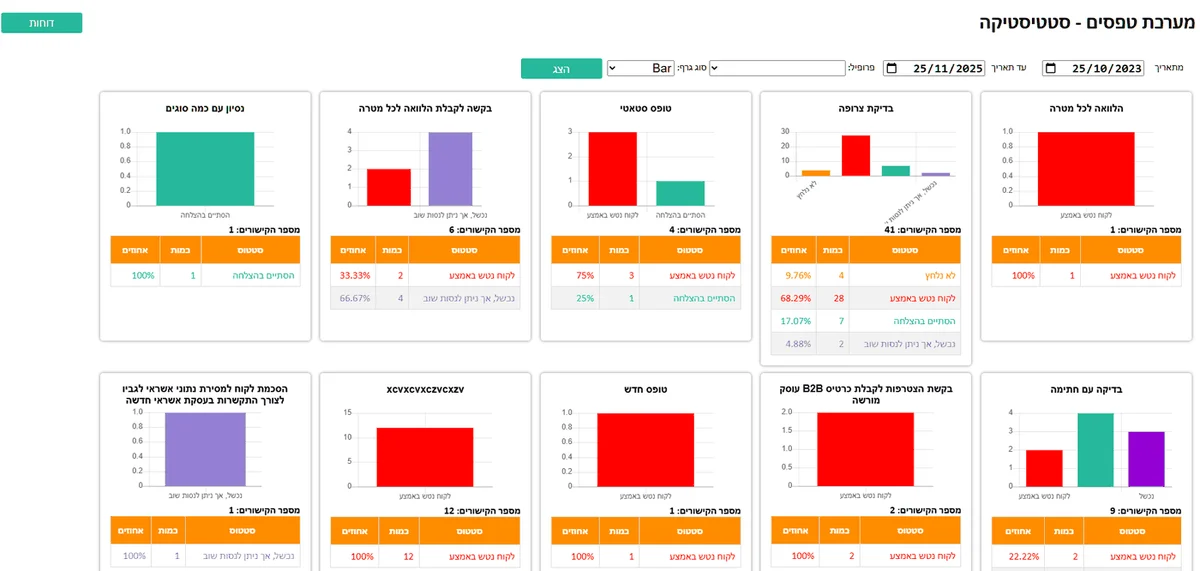
A performance report that shows where people drop off
Completion and abandonment rates per form, tracking for a specific campaign, and filtering by profile and date range. You see at which step people abandon — and fix the form, instead of guessing.
What happens the moment the customer signs
Stored and recorded
The whole instance goes into the database: the data, the signature, the attachments and the exact version of the form that was sent.
Pushed to your systems
The data, signatures and files are pushed back to your CRM or ERP through the API. No retyping.
Sent by email
A signed copy, attachments included, to the customer and to the relevant internal recipients.
Who maintains the forms
Content people, not developers
A visual editor in which your organisation's content team builds and changes forms themselves — no development ticket, no new code release and no waiting for a deployment window.
A version for every form, and for every instance
A form sent to a customer is kept in the version in which it was sent. If the form has changed since — that does not change what the customer signed. Two years later it is still clear what they were shown.
Standards and numbers
PDF/UA-1
Document accessibility standard
106/0
veraPDF — checks passed versus failures
PAdES
Digital signature standard
Two months
Specification to production at Isracard
Book a technical demo
We will show you a real form end to end: sent, filled in, signed, and returned with the data.